
Candlestick charts
Read price across multiple standard timeframes. Add indicators and drawing tools to support your analysis.
Additional chart types and indicators are planned.
Vireo capabilities / Windows alpha
Charts, footprint, volume profile, DOM, Tape and Bybit execution in one native Windows workstation. Explore what’s included in the current closed alpha.
 Inspect workspace
01 / READ THE MARKET
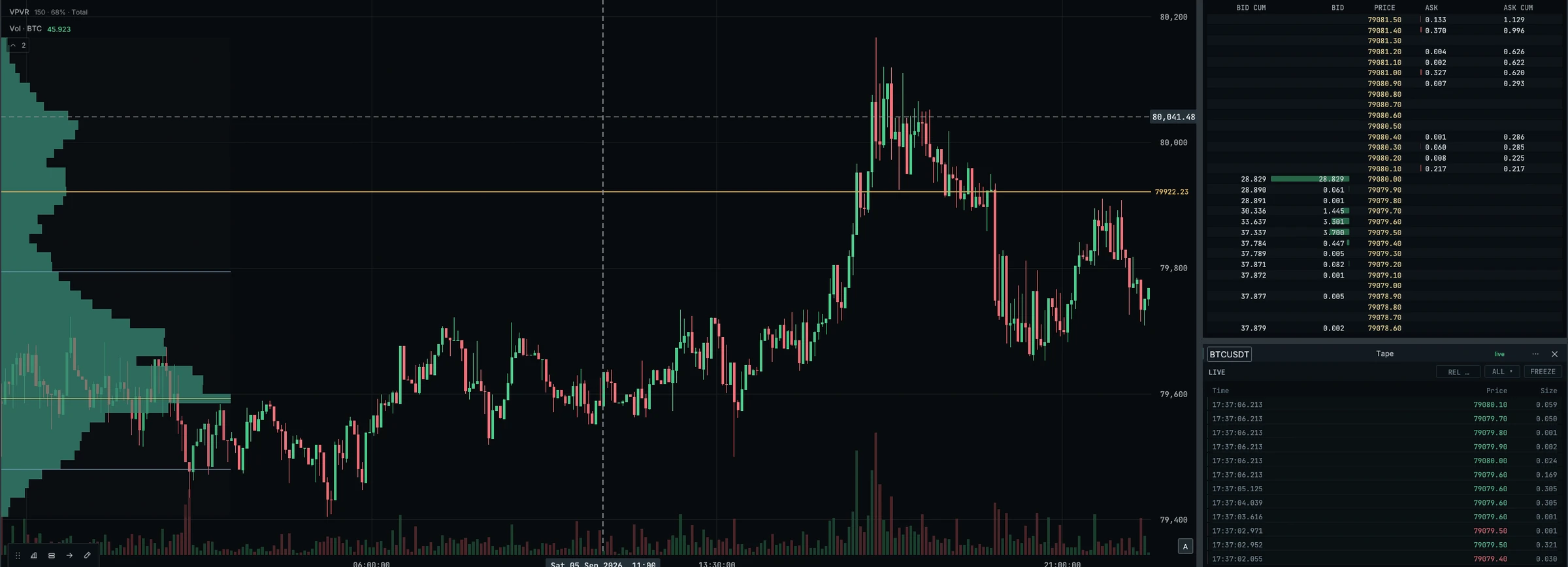
Price structure and traded volume. Two views of the same market, kept together.
Read price across multiple standard timeframes. Add indicators and drawing tools to support your analysis.
Additional chart types and indicators are planned.
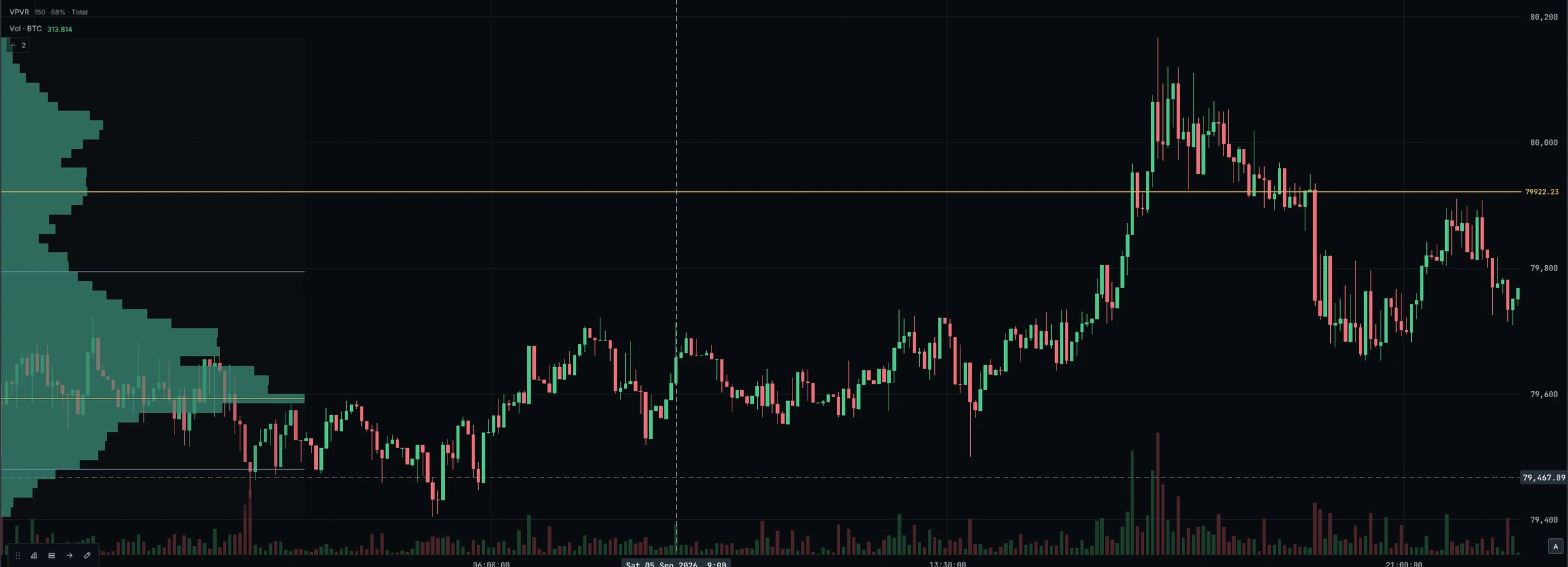
See how traded volume is distributed across price levels. Use fixed-range volume profile to focus on a range you select.
 Inspect chart
02 / LOOK CLOSER
Liquidity, executed trades and volume within each candle. Keep the detail beside your wider market read.
Examine traded volume at individual price levels within a candle, alongside the wider chart.
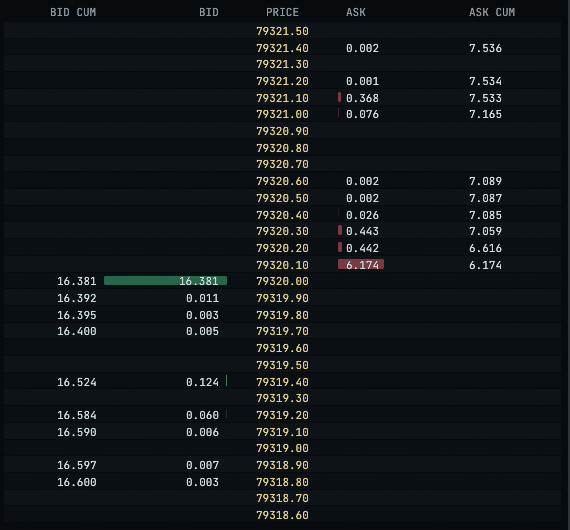
View available buy and sell liquidity at different prices in the DOM.
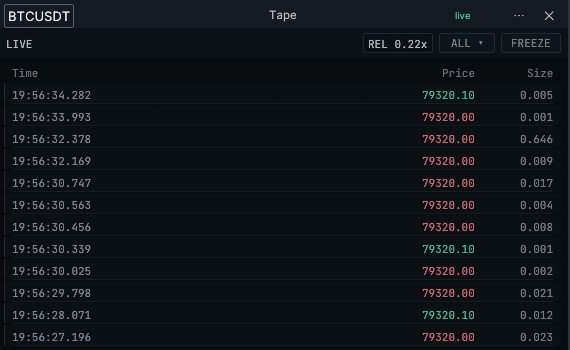
Follow executed trades as they arrive in Tape, alongside your chart.
 Inspect DOM
 Inspect Tape
03 / MAKE IT YOURS
Give each part of your process its place. Save the layout and return to it next session.
 Inspect layout
Split, stack and move panels. Save multiple workspaces and restore your layout next session, from a focused chart to a multi-panel view.
Link compatible panels by symbol: changing the instrument in one panel updates others in the same group. Timeframes remain independent.
Broader cross-panel synchronization is in development.
04 / CONTINUE TO EXECUTION
Prepare an order from the same workspace. Bybit perpetual execution is available in the current alpha.
Use the desktop order ticket with market, limit and stop-limit orders, and take-profit / stop-loss protection.
Manage positions and cancel orders. Time-in-force and reduce-only controls are part of the current build.
View account information alongside your analysis and trading panels. Additional execution connections are planned.
05 / CONNECT TO THE MARKET
Market data from Bybit and Binance. Execution support varies by connection.
| Connection | Market data | Account & execution |
|---|---|---|
| Bybit | Market data and candles |
Perpetual execution Account information, positions and orders |
| Binance | Market data and candles |
Market-data connection only. Execution is not supported in the current build. |
06 / A CLEAR VIEW OF THE ALPHA
The current Windows build is in invitation-only closed alpha. Expect pre-release software: tools are still being refined, and testing continues.
Vireo currently targets Windows x86-64. Formal hardware requirements and detailed Windows compatibility information are not yet available. Account-environment, installation and update details are still being finalized.
Create a Vireo account and verify your email to request alpha access. Requests are reviewed individually; your account shows pending access until approved. Creating an account does not guarantee alpha access.
Access is free during alpha. Alpha licences expire when Vireo leaves alpha; continued use will require a paid subscription. Pricing and a release date have not been announced.
Futures and alerts are planned capabilities. They are not available in the current build. Explore the roadmap for the development direction.
Demo and testnet availability has not been confirmed for the closed alpha.
Vireo is desktop trading software. Trading takes place through your own supported exchange connection; you do not deposit funds with Vireo.
Windows / Closed alpha
Create an account and verify your email to request access to the Windows alpha. Access is free during alpha and manually approved.